
Beschrijving
HumanGate protects your WordPress site from AI training crawlers, search engine bots, and unauthorized scraping bots. Add global refusal signals (meta tags, HTTP headers, robots.txt), actively block bots (AI crawlers, scrapers, etc.), and deter large-scale bot extraction with lightweight JavaScript challenges—all without CAPTCHAs or heavy databases.
Perfect for:
* Journalists protecting sensitive content
* Activists and independent creators
* Nonprofits and whistleblower support projects
* Anyone wanting to opt out of AI training data collection
Core Features:
- Block Search Engines – Clear, top-level setting to block all search engines (Google, Bing, etc.) via noindex/nofollow meta tags
- Global AI Refusal – Adds AI-specific meta tags, HTTP headers (X-AI-Training), and robots.txt rules to refuse AI training crawlers
- Active Enforcement Modes – Choose from Signals Only (default), Challenge Mode (JS verification), or Block Mode (403 Forbidden) for AI crawlers and other bots
- Bot Challenge System – Automatically detects suspicious bot traffic patterns (burst traffic, sequential traversal, deep-link access) and serves lightweight JavaScript challenges to all bots—not just AI crawlers
- Emergency Lockdown – One-click site lockdown with HTTP 451 responses and optional login-only access
- SEO Plugin Compatible – Works seamlessly with Yoast SEO, Rank Math, All in One SEO, and other SEO plugins
- Privacy-Focused Stats – Lightweight telemetry using WordPress transients (no database bloat, no IP storage)
- Performance Optimized – DNS lookup caching and user agent pattern caching for faster response times
- Whitelist Support – IP address and user agent whitelists to bypass blocking for trusted sources
How It Works:
-
Block Search Engines – Optional setting to block all search engines (Google, Bing, etc.) using noindex/nofollow meta tags. This is a separate, clear setting at the top of the plugin configuration.
-
AI Refusal Signals – Adds AI-specific meta tags, HTTP headers, and robots.txt rules that tell AI crawlers (GPTBot, ClaudeBot, PerplexityBot, etc.) not to train on your content. This works independently from search engine blocking.
-
Active Enforcement – Optionally block or challenge bots at the HTTP level:
- Signals Only (default): Sends refusal signals only
- Challenge Mode: Requires JavaScript execution verification for all bots
- Block Mode: Returns 403 Forbidden to AI crawlers and other unauthorized bots
-
Selective Friction – Automatically detects bot scraping patterns and serves invisible JavaScript challenges to any suspicious traffic:
- Burst traffic detection (12+ pages in 5 seconds) – catches all bots, not just AI crawlers
- Sequential traversal detection (machine-like pagination)
- Deep-link access detection (direct access to old content)
- Auto-completing challenges (no user interaction required)
- Works against all types of bots: AI training crawlers, scrapers, data harvesters, etc.
-
Emergency Lockdown – Instantly lock down your site with one toggle, returning HTTP 451 responses with optional login-only access.
Design Philosophy:
HumanGate doesn’t try to perfectly identify machines. Instead, it makes large-scale extraction economically inefficient while keeping the experience invisible to 99% of real human users. No CAPTCHAs, no heavy databases, just lightweight protection.
Development
For development, bug reports, and contributions, please visit the plugin’s GitHub repository at https://github.com/NomadBuilder/HumanGate
Schermafbeeldingen
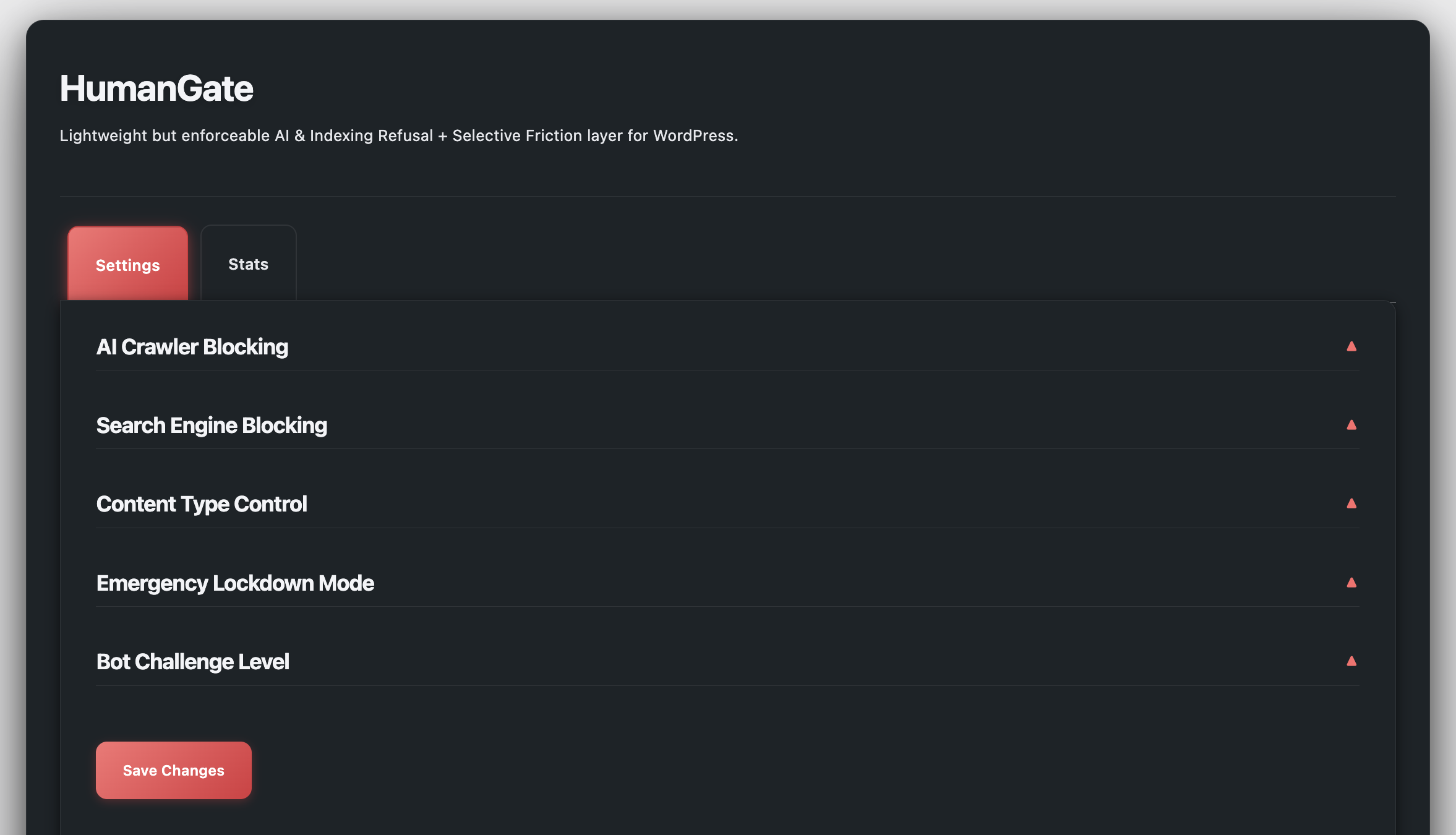
Settings page showing AI Crawler Blocking section with enforcement mode cards (Signals Only, Challenge Mode, Block Mode) and Search Engine Blocking options 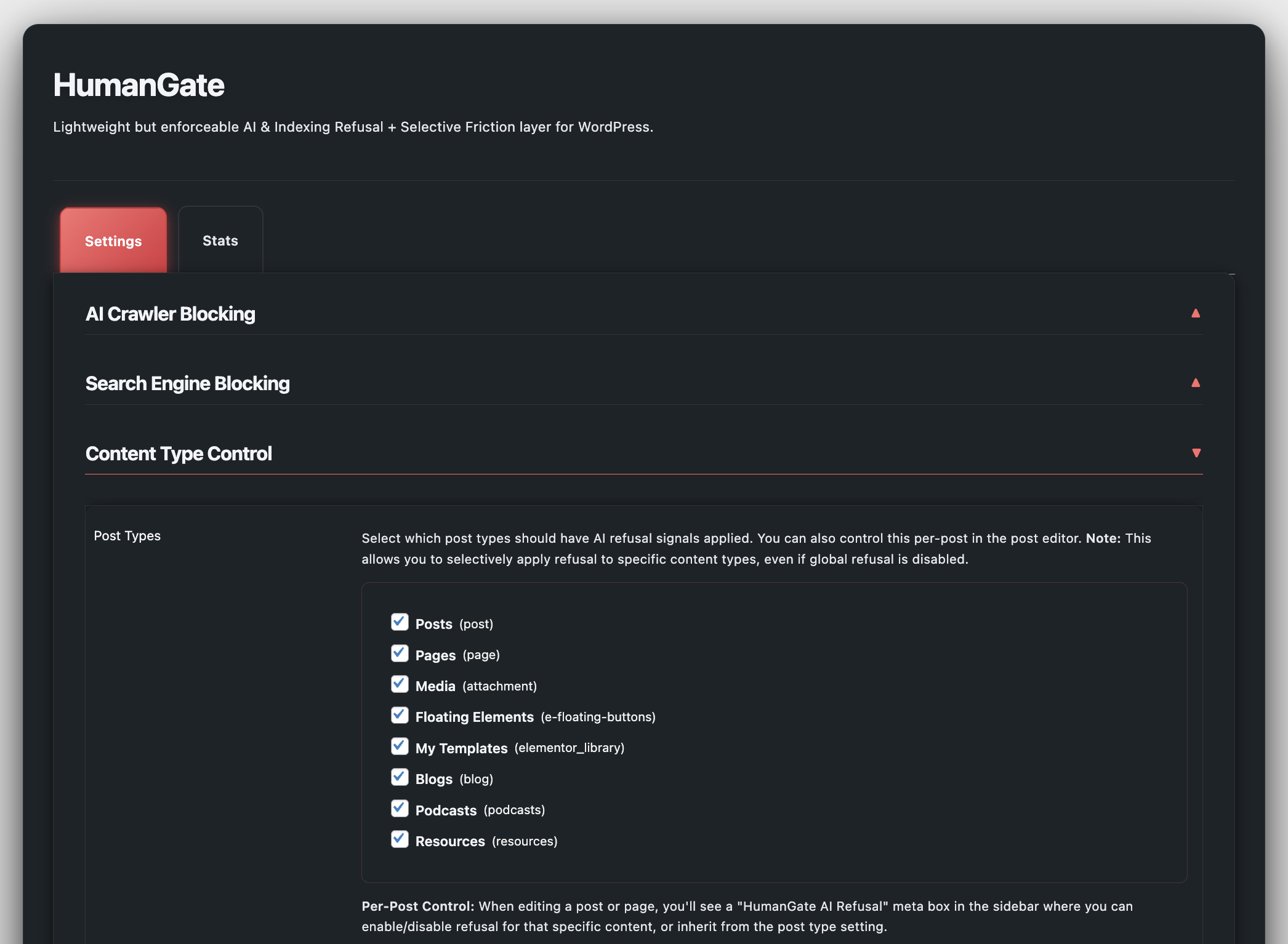
Statistics dashboard with blocked crawler requests, top blocked user agent, top category, and “Blocked by Reason” table with tooltips 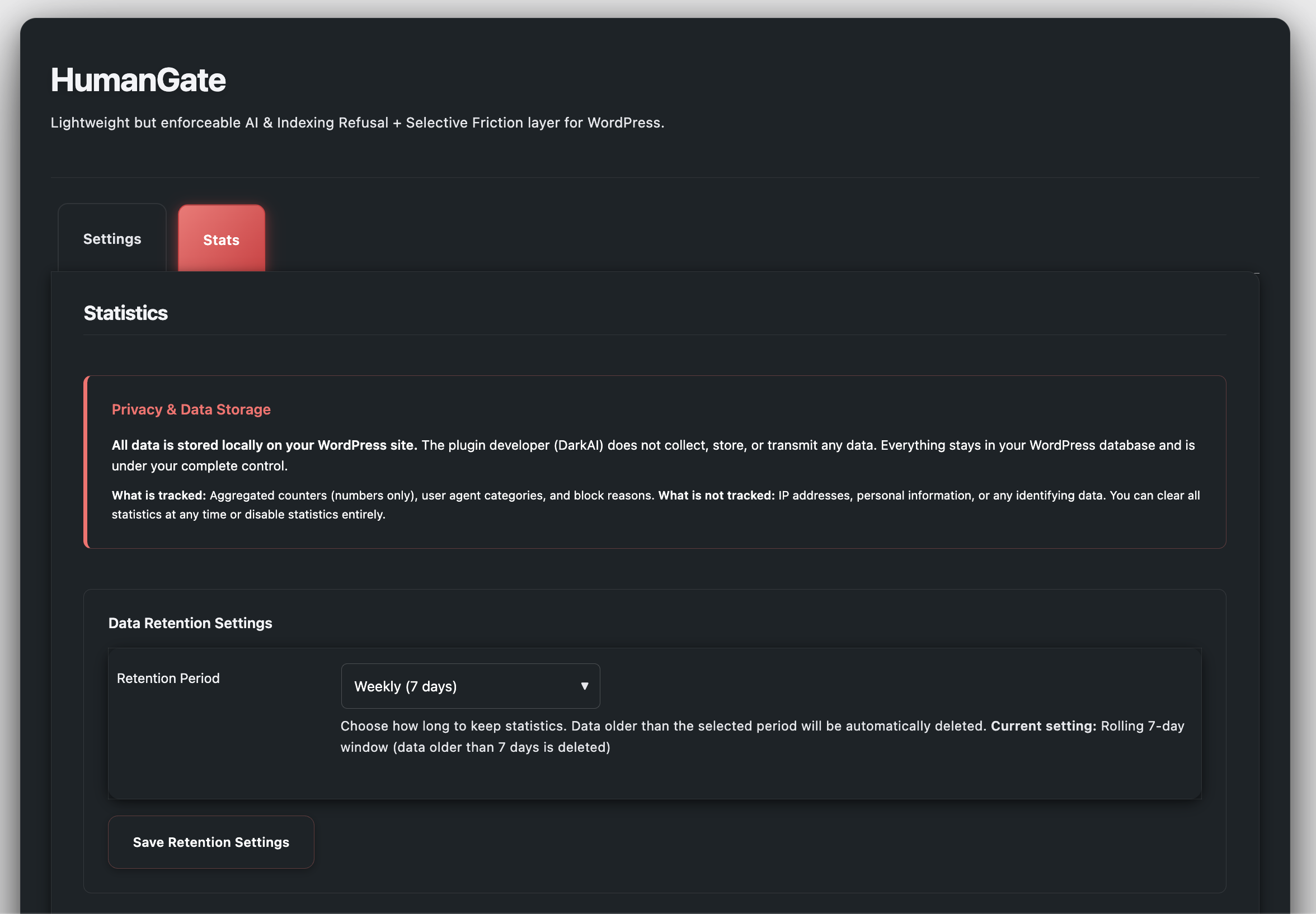
Content type control section showing per-post-type settings and per-post AI refusal controls
Installatie
- Upload the
humangatefolder to the/wp-content/plugins/directory, or install through the WordPress admin plugins page - Activate the plugin through the ‘Plugins’ menu in WordPress
- Navigate to HumanGate in the WordPress admin menu to configure settings
Quick Start:
The plugin works immediately with default settings (AI Signals Only mode, and search engines blocked by default). For maximum protection or to allow search engine indexing:
-
Decide on Search Engine Indexing:
- By default, HumanGate blocks all search engines (Google, Bing, etc.) from indexing your site.
- To allow search engines to index your site, go to HumanGate -> Settings and uncheck “Block Search Engines”.
- If you want to allow search engines AND use “Block Mode” for AI crawlers, enable “Allow verified search engine bots” in the “Search Engine Blocking” section.
-
Configure AI Crawler Blocking:
- Enable “AI Crawler Blocking” (enabled by default)
- Choose your enforcement mode:
- Signals Only – Recommended for most sites (sends AI refusal signals)
- Challenge Mode – Balances protection with user experience (challenges AI crawlers)
- Block Mode – Maximum protection (returns 403 Forbidden to AI crawlers)
-
Content Type Control (Optional):
- Select which post types (posts, pages, custom types) should have blocking applied
- Both AI blocking and search engine blocking respect these settings
- You can also control this per individual post/page in the editor
-
Optionally adjust bot challenge thresholds based on your traffic patterns
Customization Options:
- Block search engines setting (separate, clear control)
- AI crawler blocking (enabled/disabled independently)
- Enforcement mode selection (for AI crawlers)
- Search engine bot verification (allows Google/Bing while blocking AI crawlers)
- Bot challenge thresholds (burst/rate limits)
- Content type control (applies to both AI blocking and search engine blocking)
- Per-post AI refusal controls
- Emergency lockdown settings
- IP address whitelist (single IPs and CIDR ranges, IPv4/IPv6)
- User agent whitelist (case-insensitive pattern matching)
FAQ
-
Will this break my SEO?
-
HumanGate includes a clear, top-level setting to “Block Search Engines” which adds noindex/nofollow meta tags. When this setting is enabled (default), your site will NOT appear in Google search results or any other search engine. If you want search engine indexing, disable the “Block Search Engines” setting. You can still block AI training crawlers independently using the enforcement modes. For maximum protection while allowing search engines, disable “Block Search Engines” and use Challenge or Block Mode with “Allow verified search engine bots” enabled. HumanGate uses reverse DNS verification to ensure only legitimate search engine bots (Google, Bing, etc.) are allowed, while blocking all other bots including AI training crawlers, scrapers, and data harvesters.
-
Does this work with Yoast SEO?
-
Yes! HumanGate automatically detects SEO plugins (Yoast SEO, Rank Math, All in One SEO, SEOPress, etc.) and appends its AI crawler blocks to your existing robots.txt file. Both plugins work together seamlessly—your SEO plugin manages the base robots.txt, and HumanGate adds AI crawler blocks.
-
Will this block legitimate users?
-
No. The bot challenge system is designed to be invisible to 99% of real users. It only triggers on suspicious bot-like patterns (like accessing 12+ pages in 5 seconds). If a legitimate user does see a challenge, it auto-completes in seconds without any interaction required—unlike CAPTCHAs. The system specifically targets bots (AI crawlers, scrapers, data harvesters) while allowing real human visitors.
-
What’s the performance impact?
-
Minimal. HumanGate uses WordPress transients (not database tables) for lightweight data storage. Search engine bot verification adds 100-500ms per verified request due to reverse DNS lookups, so it’s disabled by default. Only enable it if you’re using Block Mode and need search engine indexing.
-
Can I use this with other security plugins?
-
Yes, HumanGate is compatible with most security and caching plugins. It uses standard WordPress hooks and doesn’t interfere with other plugins’ functionality. If you’re using a firewall plugin, make sure it’s not blocking HumanGate’s challenge system.
-
What bots does this block?
-
HumanGate can block both AI training crawlers and other unauthorized bots. The bot challenge system works against all types of bots, not just AI crawlers—including scrapers, data harvesters, price monitoring bots, and more. For specific AI crawler blocking, HumanGate targets known AI training crawlers including GPTBot (OpenAI), ClaudeBot (Anthropic), PerplexityBot, CCBot (Common Crawl), Google-Extended, Applebot-Extended, and many others. See the plugin settings for the complete list of AI crawlers, and note that the challenge system catches all suspicious bot traffic regardless of user agent.
-
Can I selectively apply AI refusal to specific post types?
-
Yes! HumanGate includes granular content type control—you can select which post types (posts, pages, custom post types) should have AI blocking and/or search engine blocking applied. Both settings respect the same content type selection. You can also control this per individual post/page in the editor. For example, if you enable AI blocking but only select “posts” in content type control, it will only apply to posts, not to pages or other content types.
-
How does the bot challenge system work?
-
When suspicious bot traffic patterns are detected (regardless of whether it’s an AI crawler, scraper, or other bot), HumanGate serves a lightweight JavaScript challenge that runs automatically in the browser. It collects browser entropy (screen size, timezone, performance data) and verifies it server-side. Real browsers pass instantly; bots without JavaScript engines (like curl, wget, Python scrapers) stall or fail. This works against all types of bots, not just AI training crawlers.
Beoordelingen
Er zijn geen beoordelingen voor deze plugin.
Bijdragers & ontwikkelaars
“HumanGate” is open source software. De volgende personen hebben bijgedragen aan deze plugin.
Bijdragers
Vertaal “HumanGate” naar jouw taal.
Interesse in de ontwikkeling?
Bekijk de code, haal de SVN repository op, of abonneer je op het ontwikkellog via RSS.
Changelog
1.1.0
- Performance improvements:
- DNS lookup caching for search engine verification (24-hour cache, reduces latency from 100-500ms to <1ms for repeat visits)
- User agent pattern caching for AI crawler detection (1-hour cache, faster detection)
- Whitelist feature:
- IP address whitelist with support for single IPs and CIDR ranges (IPv4 and IPv6)
- User agent whitelist with case-insensitive pattern matching
- Whitelisted IPs and user agents bypass all blocking and challenges
- Admin interface for managing whitelists in Settings Whitelist section
- Bug fixes:
- Fixed IPv4/IPv6 CIDR validation to handle invalid IPs correctly
- Code improvements:
- Optimized whitelist checks with per-request static caching
- Early return optimizations for better performance
1.0.0
- Initial release
- Global AI + search refusal layer (meta tags, headers, robots.txt)
- Active enforcement modes (Signals Only, Challenge, Block)
- Selective scraping friction with pattern detection
- Emergency lockdown mode
- Lightweight telemetry system
- SEO plugin compatibility (Yoast SEO, Rank Math, etc.)
- Search engine bot verification (optional)
- Dark mode admin interface