
Beschrijving
Responsive Tabs is a fast, lightweight WordPress tabs plugin for organizing content into horizontal, vertical, or accordion tab sets — no coding knowledge needed. Create a tab set, add your tabs, and drop it into any page with the block editor or a shortcode.
Whether you’re building an FAQ section, breaking up a long product description, or organizing a documentation page, Responsive Tabs turns a wall of text into clean, clickable sections your visitors will actually read.
Why Choose Responsive Tabs?
- No coding required — create a tab set and start adding tabs immediately
- Modern, dependency-free engine — no jQuery required, fast and lightweight
- Gutenberg block included — add tabs anywhere in the block editor, no shortcode-hunting
- Fully responsive — looks right on desktop, tablet, and mobile out of the box
- No advertisements — a clean admin experience, unlike many free plugins
- Preview before you publish — see exactly how a tab set will look before adding it to a page
Live Demo: See Responsive Tabs in action
Video Walkthrough:
Features
- Add unlimited tabs within up to 3 tab sets (Pro removes this limit)
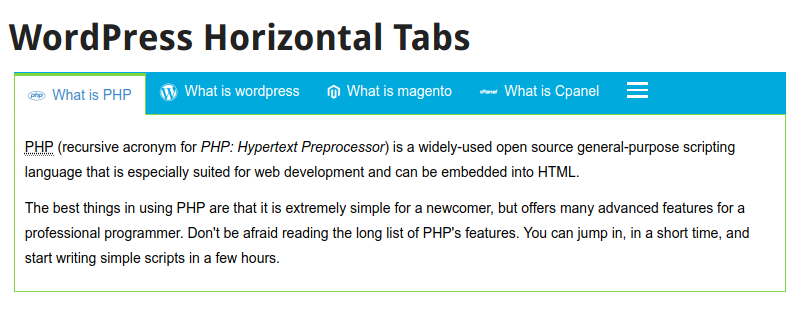
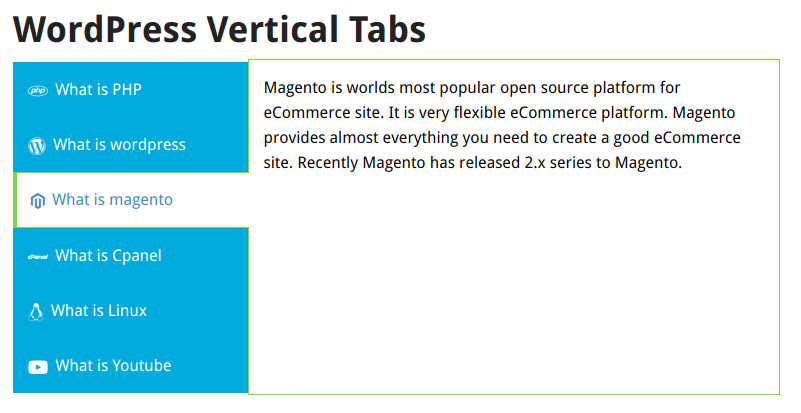
- Supports horizontal, vertical, and accordion tab layouts
- Modern, dependency-free rendering engine (no jQuery required)
- Native Gutenberg block — insert and configure a tab set directly in the block editor
- Shortcode support for any theme or page builder
- Shortcodes inside tab content render correctly (sliders, forms, galleries, etc.)
- Overflowing horizontal tabs collapse into a clean “More” menu automatically
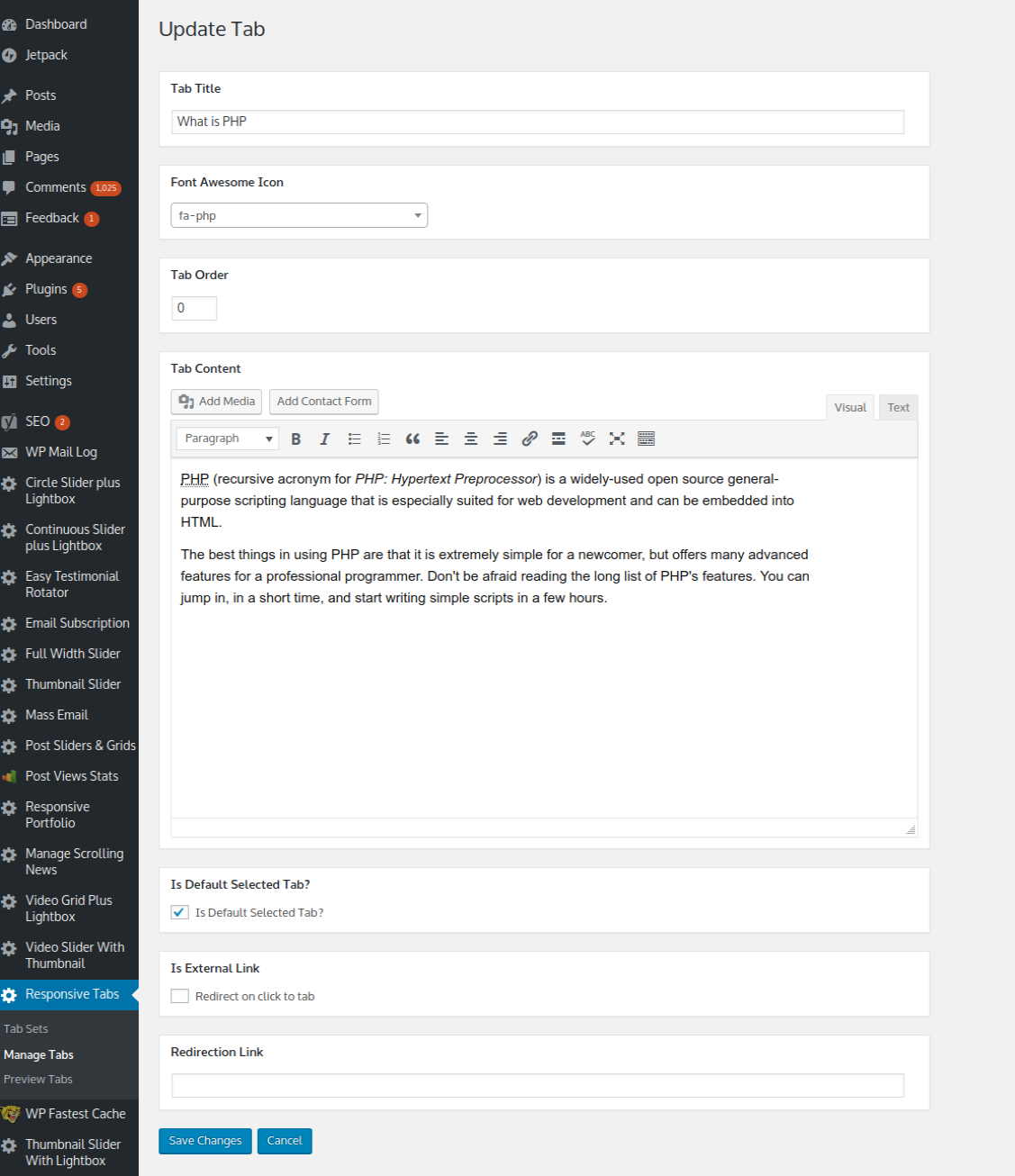
- Set your own display order for tabs
- Preview any tab set before publishing it
- Full color customization — border, background, tab text, active text, and content text
- Vertical tabs automatically convert to an accordion on mobile screens
- WordPress user roles and capabilities support
- Multisite compatible
- No advertisements
Want More? Upgrade to Pro
The free version covers the essentials — for advanced features, upgrade to Responsive Tabs Pro:
- Unlimited tab sets (free is limited to 3)
- 4 visual tab styles — Boxed, Underline/Line, Pill/Segmented, and Contained/Boxed
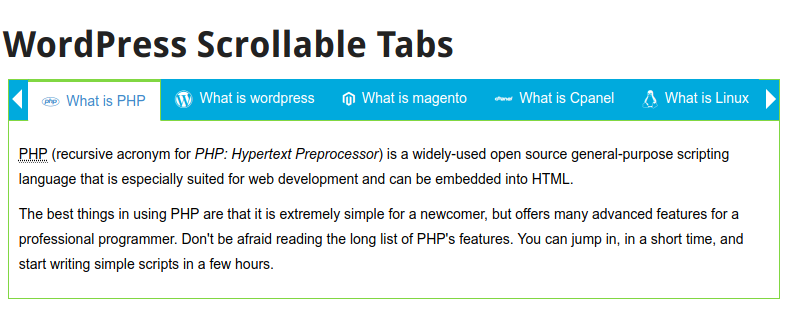
- Scrollable horizontal tabs — drag-to-scroll plus left/right arrow buttons
- Full tab management from the Gutenberg block — add, edit, reorder, and delete tabs without leaving the block editor
- Font Awesome icon picker — add an icon to any tab heading
- Link tabs — set a tab to open an external URL instead of showing content
- Additional custom CSS per tab set
- Duplicate/clone tab sets
- Selected tab via URL (e.g.
?selected_tab=2) - Mass order updates
Schermafbeeldingen
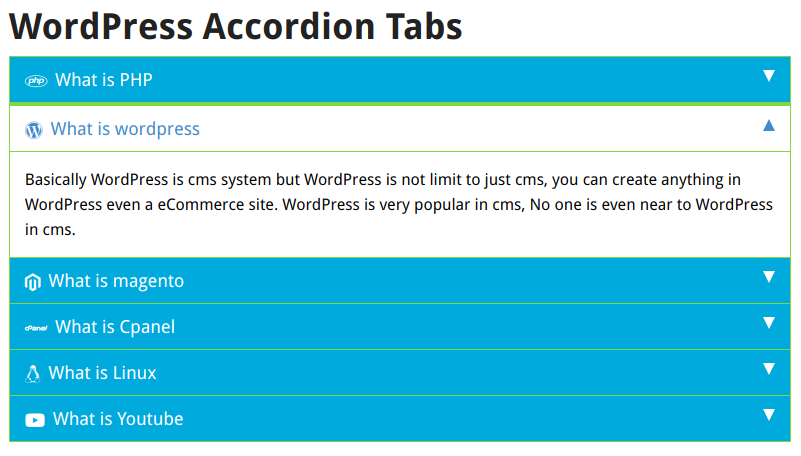


Blokken
Deze plugin voorziet 1 blok.
- Responsive Tabs
Installatie
This plugin installs like any other WordPress plugin:
- Upload the
responsive-horizontal-vertical-and-accordion-tabsfolder to the/wp-content/plugins/directory, or install directly through the WordPress Plugins screen. - Activate the plugin through the “Plugins” screen in WordPress.
- Go to Responsive Tabs in the admin menu to create your first tab set.
Usage
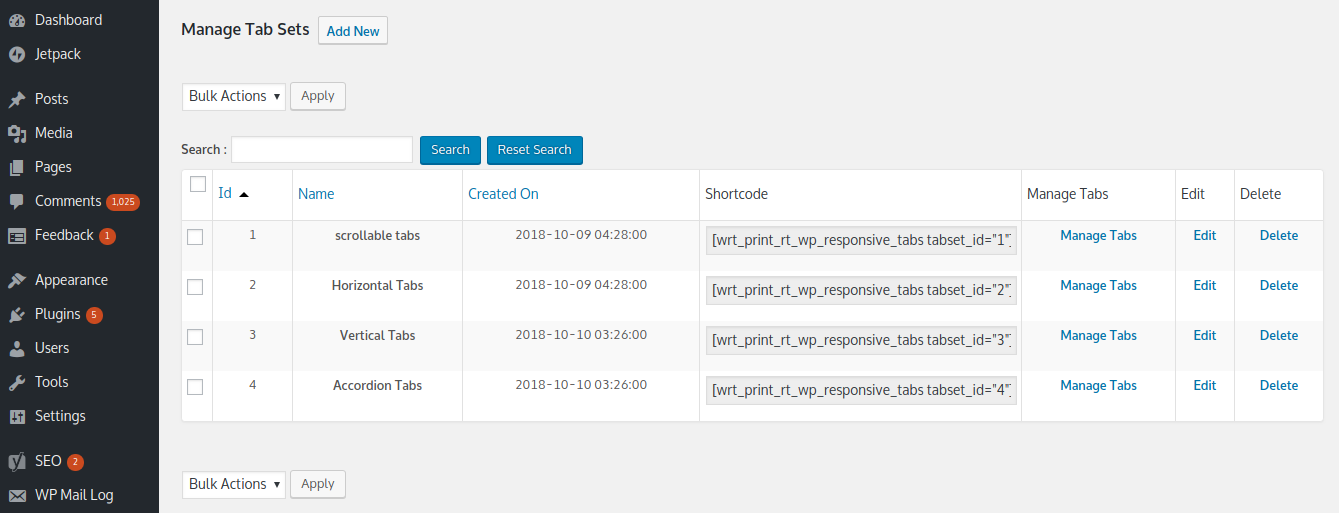
- Go to Responsive Tabs Manage Tab Sets and click “Add New” to create a tab set.
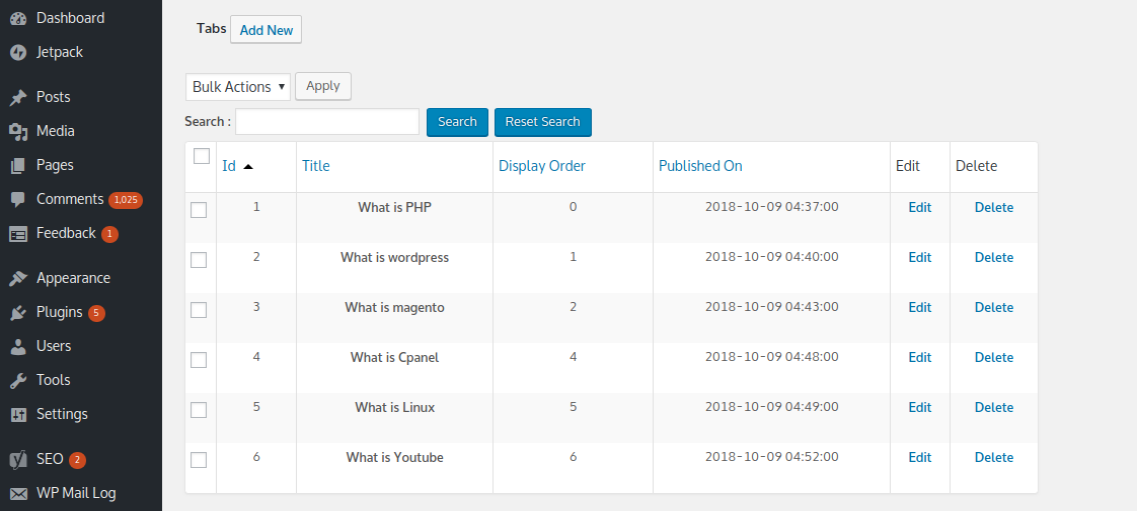
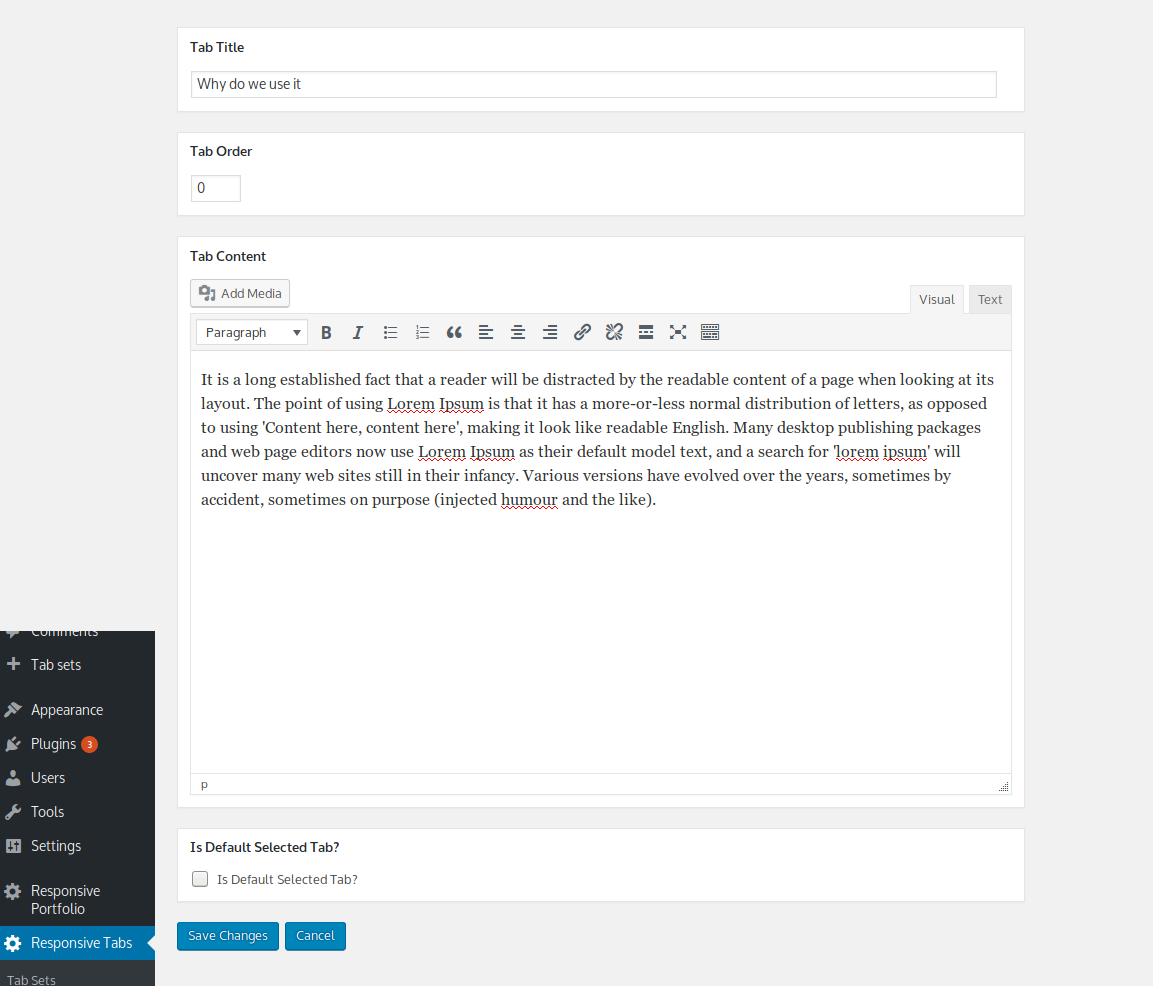
- Add tabs to your tab set, set their order, and choose your color settings.
- Add the tab set to any page or post using either:
- The “Responsive Tabs” block in the block editor (Gutenberg), or
- The shortcode shown on the Manage Tab Sets screen
FAQ
-
How do I add a tabs plugin layout to my WordPress site?
-
Install and activate Responsive Tabs, go to Responsive Tabs Manage Tab Sets to create a tab set, then insert it into any page or post using the “Responsive Tabs” block or the provided shortcode.
-
Does this plugin work with the block editor (Gutenberg)?
-
Yes. Add the “Responsive Tabs” block anywhere in the block editor, then pick which tab set to display from the block’s settings panel.
-
Is there a limit on how many tabs or tab sets I can create?
-
The free version allows up to 3 tab sets, with unlimited tabs inside each one. Responsive Tabs Pro removes the tab set limit entirely.
-
Can I add tabs without any coding knowledge?
-
Yes — the entire plugin is menu-driven. Create a tab set, add tabs, choose colors, and insert it with a block or shortcode. No code editing required.
-
Will tabs work with my theme?
-
Yes, Responsive Tabs is built to work with any properly-coded WordPress theme or page builder.
-
Can I put a shortcode (like a slider, form, or gallery) inside a tab’s content?
-
Yes — shortcodes inside tab content render correctly, including any scripts or styles they need to work.
-
What happens if I have more horizontal tabs than fit on screen?
-
Overflowing tabs automatically collapse into a “More” dropdown menu, so your tab row never breaks your layout.
-
Can I add icons to my tabs?
-
Font Awesome icons on tab headings are a Pro feature. Responsive Tabs Pro includes a searchable icon picker with live previews.
-
How do I get more than 3 tab sets?
-
Upgrade to Responsive Tabs Pro for unlimited tab sets, plus 4 tab styles, scrollable tabs, full Gutenberg block management, and more.
Beoordelingen


Bijdragers & ontwikkelaars
“Responsive Tabs — Horizontal, Vertical & Accordion Tabs for WordPress” is open source software. De volgende personen hebben bijgedragen aan deze plugin.
Bijdragers
Vertaal “Responsive Tabs — Horizontal, Vertical & Accordion Tabs for WordPress” naar jouw taal.
Interesse in de ontwikkeling?
Bekijk de code, haal de SVN repository op, of abonneer je op het ontwikkellog via RSS.
Changelog
1.6.31
- Fixed shortcodes (and any scripts/styles they enqueue — sliders, tickers, galleries) not working correctly inside Modern-engine tab content that loads via AJAX; content now loads through a dedicated REST API endpoint for better third-party shortcode compatibility
- Fixed the “More” overflow button sometimes being clipped and squared off its corners
- The “More” overflow button now shows a hamburger icon instead of text
- Fixed the browser’s default focus outline showing as an unstyled rectangle on tabs and the “More” button
- Various small CSS fixes for the Modern engine
1.6.16 – 1.6.30
- Added a Modern, dependency-free rendering engine (no jQuery required) — existing tab sets stay on the legacy engine automatically; new tab sets default to Modern
- Added a native “Responsive Tabs” Gutenberg block
- Removed all advertisements from the admin screens
- Added the plugin’s menu icon
- Overflowing horizontal tabs now collapse into a “More” menu automatically
- Vertical tabs now automatically convert to an accordion on mobile screens
- Free tab sets are limited to 3 (unlimited in Pro)
1.1.20
- Fixed responsive tabs menu append wrong in subtab
1.1.19
- Added shortcode param to disable scroll on tab click
1.1.18
- Fixed vulnerability
1.1.17
- Made plugin compatible with block editor
- Tested with WordPress 6.3
1.1.16
- Fixed vulnerability
- Tested with WordPress 6.2
1.1.15
- Fixed small CSS issue
- Tested with WordPress 6.0
1.1.14
- Fixed a JavaScript error that occurred with some themes
- Tested with WordPress 5.9
1.1.13
- Removed jQuery.noConflict() usage, which was causing problems
1.1.12
- Fixed scrolling issue (too fast) in accordion tabs
- Tested with WordPress 5.6
1.1.11
- Fixed small CSS issue
- Tested with WordPress 5.5
1.1.10
- Fixed CSS issue for the Twenty Twenty theme
- Tested with WordPress 5.4
1.1.9
- Improved tab loading
1.1.8
- Fixed an undefined variable error found in logs
- Tested with WordPress 5.3
1.1.7
- Fixed
<
p> and
tags being removed from content
* Added support for extra CSS per tab set
* Added an option to load tab content via AJAX on first load
1.1.4
- Improved code to keep working even with jQuery loaded in the footer
- Tested with WordPress 5.2
1.1.3
- Added WordPress capabilities support
1.1.2
- Improved security
1.1.1
- Fixed an undefined variable problem
1.1
- Improved admin UI
- Tested with WordPress 5.0
1.0
- Stable 1.0 first release