

Beschrijving
Virfice is a self-hosted email marketing and automation plugin for WordPress and WooCommerce. Create newsletters, send targeted email campaigns, capture and manage subscribers, build automated workflows, customize transactional emails, and track campaign performance—all from your WordPress dashboard.
Unlike subscriber-based email marketing platforms, Virfice keeps your contacts and campaign data on your own WordPress site. There is no per-contact pricing or artificial subscriber limit. Connect your preferred SMTP provider and retain control of your audience, sending infrastructure, and email marketing data.
Get Virfice Pro | Documentation | Support
What Can You Do with Virfice?
🎨 Create and send targeted email marketing campaigns
🧲 Capture subscribers with customizable signup forms
🗂️ Organize and segment contacts using lists, tags, and custom fields
🔍 Target audiences with include/exclude filters
⏰ Send campaigns instantly or schedule them for later
🔁 Resend campaigns to non-openers
🤖 Automate emails based on WordPress and WooCommerce events
🛒 Recover abandoned carts with automated follow-up emails
👋 Create welcome, birthday, post-purchase, and customer-engagement workflows
🛍️ Send WooCommerce-triggered emails based on purchases, carts, and customer actions
🧾 Customize and fully brand WooCommerce transactional emails
📧 Customize WordPress system emails
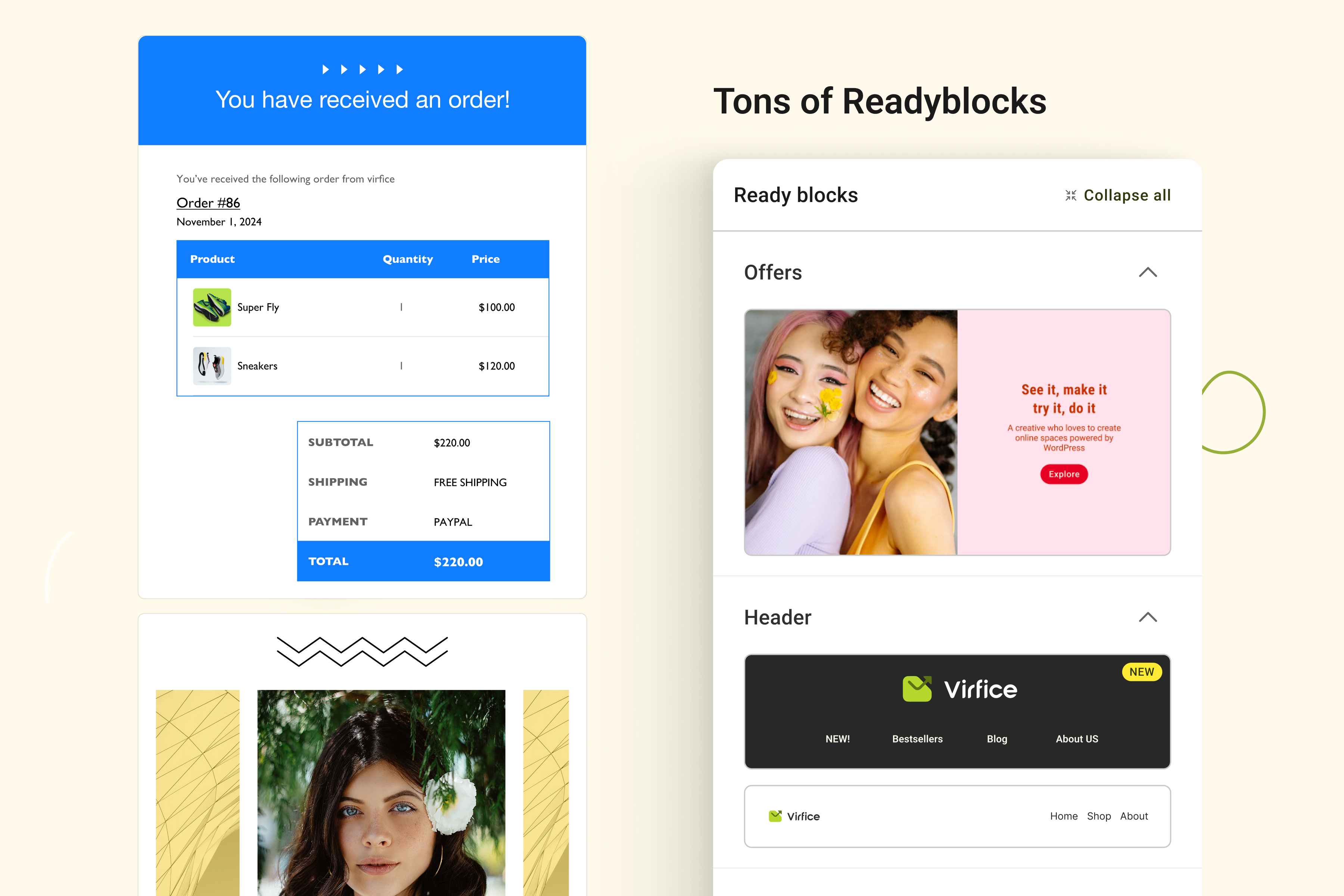
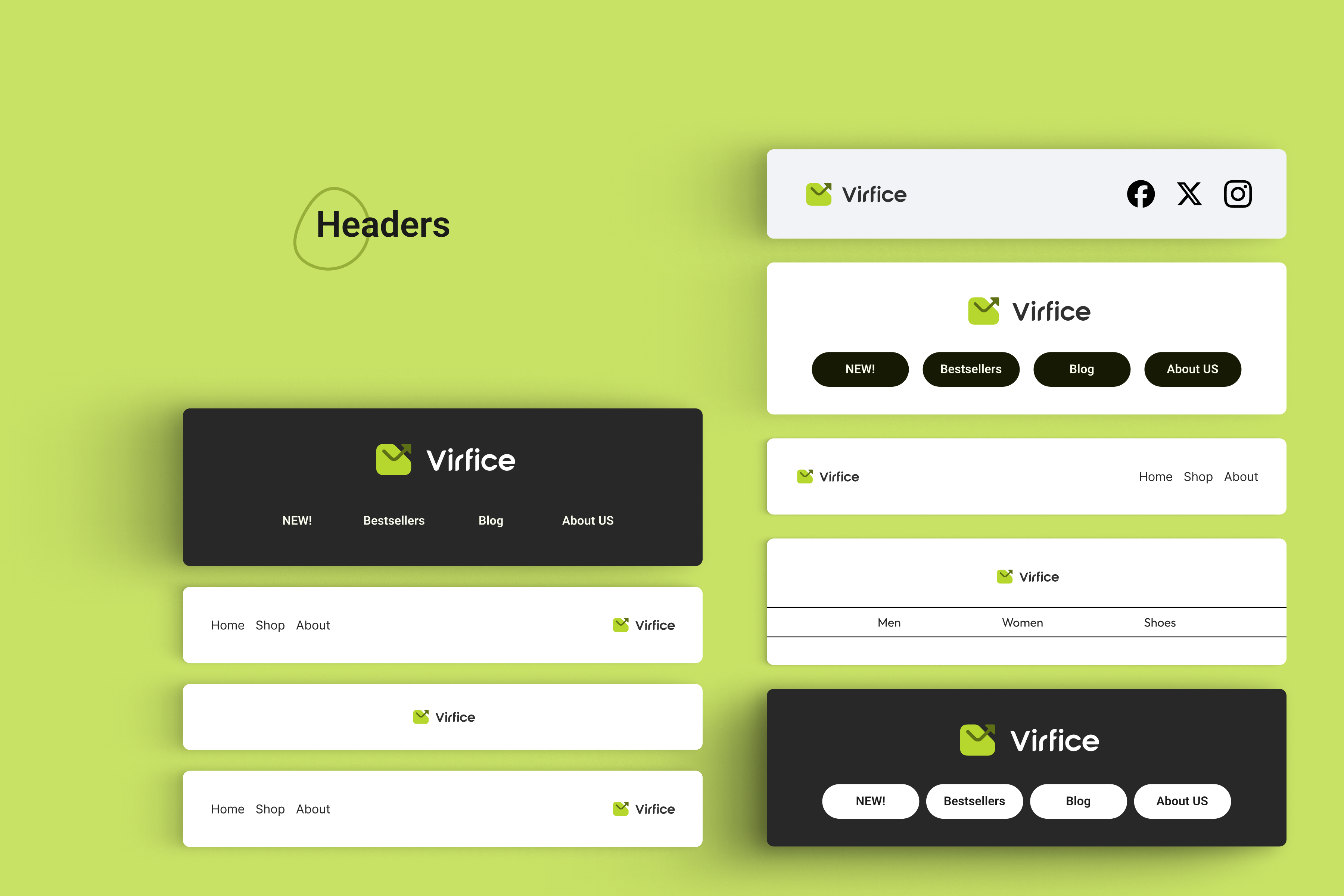
📦 Design emails using ready-made templates and reusable content blocks
📊 Track deliveries, opens, clicks, bounces, and failures
✉️ Connect, configure, and test your preferred SMTP provider—no additional SMTP plugin required
A complete Self-Hosted Email Marketing Solution for WordPress
Virfice brings email marketing into WordPress, giving you direct control over your audience and campaign data. Your contacts remain on your website instead of being locked inside a third-party email marketing platform.
- No per-subscriber or per-contact pricing.
- No artificial limit on the number of contacts you can manage.
- Send through your preferred SMTP or email delivery provider.
- Keep your audience, campaigns, and marketing data in WordPress.
- Manage newsletters, automations, forms, and transactional emails from one dashboard.
Your practical sending volume, deliverability, and sending costs depend on your hosting environment and chosen email delivery provider.
WordPress Newsletters and Email Campaigns
Create, design, schedule, and send newsletters without leaving WordPress. Use the visual email builder and ready-made templates for product updates, company news, offers, announcements, and regular subscriber newsletters.
Target the right audience using lists and tags, include or exclude specific subscriber groups, personalize email content, send immediately or schedule campaigns, and resend campaigns to contacts who did not open the original email.
Visual Email Builder
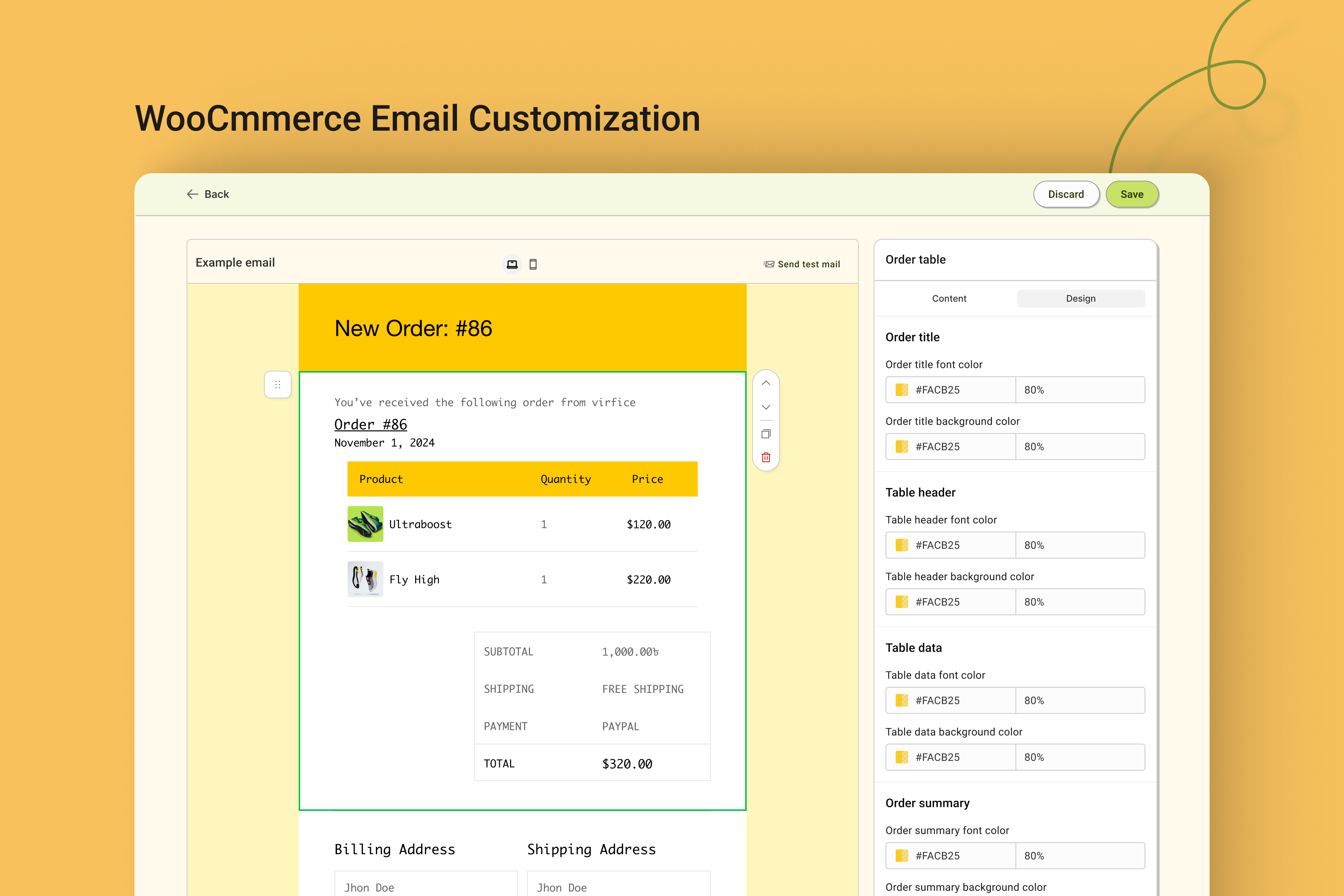
Create professional, responsive emails with a visual builder built directly into WordPress. Add and arrange content, personalize messages, apply global brand styles, and reuse sections to design faster while keeping your emails consistent.
- Visual email-building experience.
- Reusable ready blocks and content sections.
- Professionally designed email templates.
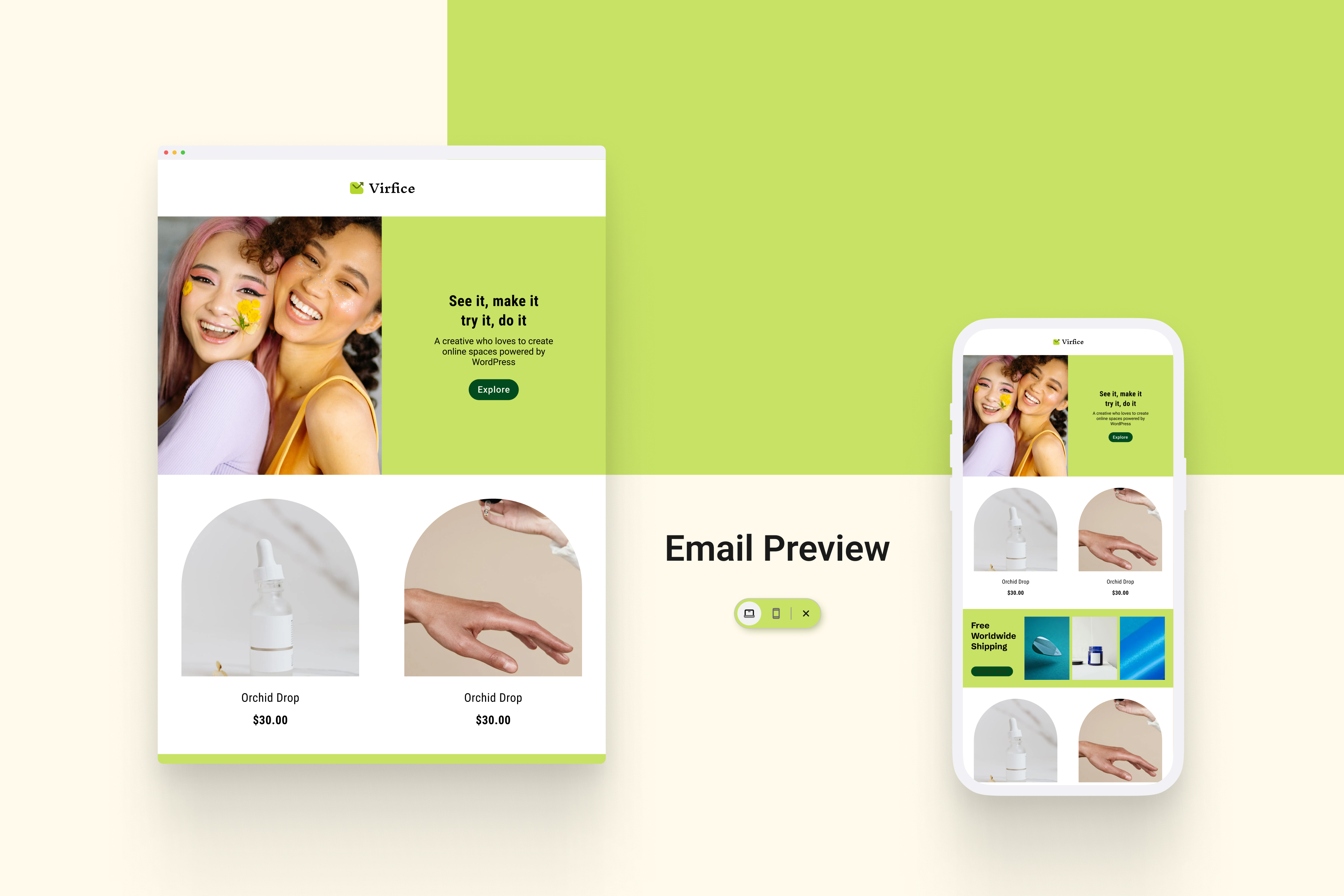
- Responsive email layouts.
- Brand-wide header, footer, colors, and styles.
- Dynamic placeholders for personalized content.
- Email preview and test-email options.
Audience and Subscriber Management
Manage your email marketing audience directly inside WordPress.
- Add and update contacts manually.
- Import contacts from CSV files.
- Export audience data.
- Organize contacts with lists and tags.
- Store custom contact fields.
- Include or exclude audience groups from campaigns.
- View and edit individual contact information.
- Manage subscription and unsubscribe status.
Email Marketing Automation
Build event-based email automation workflows using triggers, conditions, delays, and actions. Automatically welcome subscribers, engage WordPress users, follow up with customers, recover abandoned carts, and deliver timely messages based on activity across your website.
Available Automation Triggers
Forms
- Form Submitted
Users & Customers
- New Signup
- User Birthday
- User Logged In
WooCommerce
- Order Created
- Order Paid
- Order Processing
- Order Completed
- Order Cancelled
- Order On Hold
- Order Refunded
- Order Pending Payment
- Customer Account Created
- Cart Abandoned
Use these triggers to create welcome emails, birthday emails, order follow-ups, post-purchase sequences, payment reminders, customer onboarding, cart-recovery campaigns, and other WordPress and WooCommerce email automations.
Abandoned Cart Recovery for WooCommerce
Recover potential sales with automated abandoned-cart emails. Virfice can initiate a workflow when a registered or guest customer’s cart becomes abandoned, allowing you to send timely reminders and guide the shopper back to checkout.
When an abandoned cart is purchased or emptied, its queued recovery workflow is cleared automatically, helping prevent unnecessary follow-up emails.
Lead Capture Forms
Grow your email list with customizable, mobile-friendly signup forms—without installing a separate form plugin. Capture leads directly in WordPress, collect custom information, and connect form submissions to your email marketing automations.
Email Analytics and Tracking
Track campaign delivery, opens, clicks, bounces, and failures from a centralized dashboard. Review campaign performance, understand subscriber engagement, and use the results to improve future newsletters and email campaigns.
Open and click tracking can be affected by recipient privacy features, email-client behavior, and other technical factors.
WordPress and WooCommerce Transactional Emails
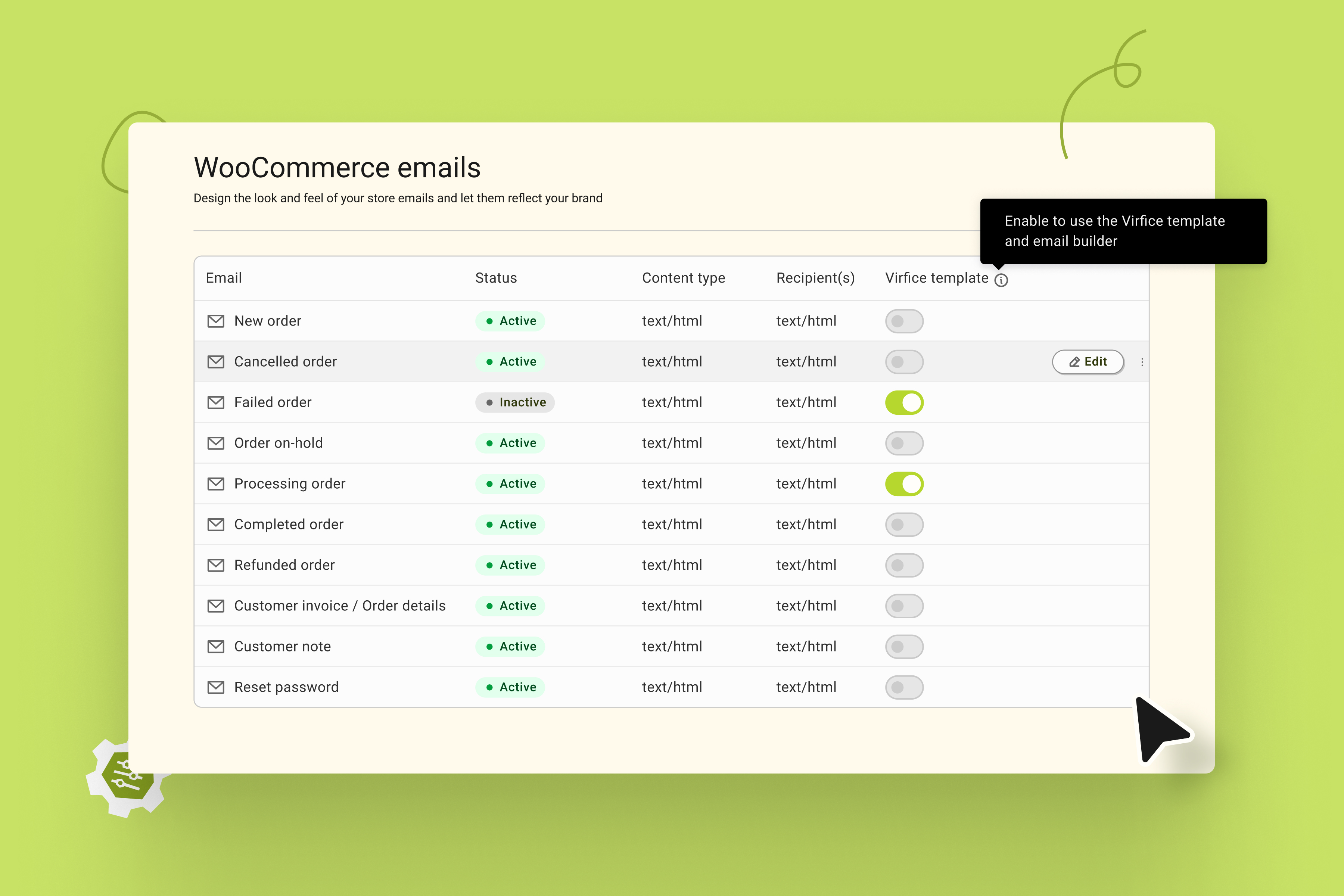
Design and manage supported WordPress system emails and WooCommerce transactional emails from one visual interface. Apply your branding, customize the content, preview the result, and send test emails before using a design on your store.
Supported Emails
- New Account Email – Welcome customers or WordPress users after account creation.
- Reset Password Email – Customize password-reset messages.
- New Order Email – Notify the store administrator when a new order is placed.
- Cancelled Order Email – Notify the store administrator when an order is cancelled.
- Failed Order Email – Notify the store administrator when an order fails.
- Order On Hold Email – Update customers when an order is placed on hold.
- Order Processing Email – Notify customers when an order is paid and processing.
- Order Completed Email – Notify customers when an order is completed.
- Order Refunded Email – Inform customers when an order is refunded.
- Customer Invoice Email – Send order details and payment links when applicable.
- Customer Note Email – Send notes added to a customer’s order.
Built-In SMTP Configuration
Connect your preferred SMTP service directly inside Virfice. Configure authentication, send a test email, and manage email delivery without installing an additional SMTP plugin.
Virfice does not operate an email delivery network. Actual delivery is handled by your configured SMTP or email service provider.
Virfice Free and Virfice Pro
Virfice Free includes the core tools available in the plugin downloaded from WordPress.org. Virfice Pro extends the platform with additional email marketing, automation, WooCommerce, and audience-management capabilities.
Feature availability may vary by plan and version. Visit the Virfice website for the current feature comparison.
How to Use Virfice
No coding or advanced technical knowledge is required.
- Install and activate Virfice.
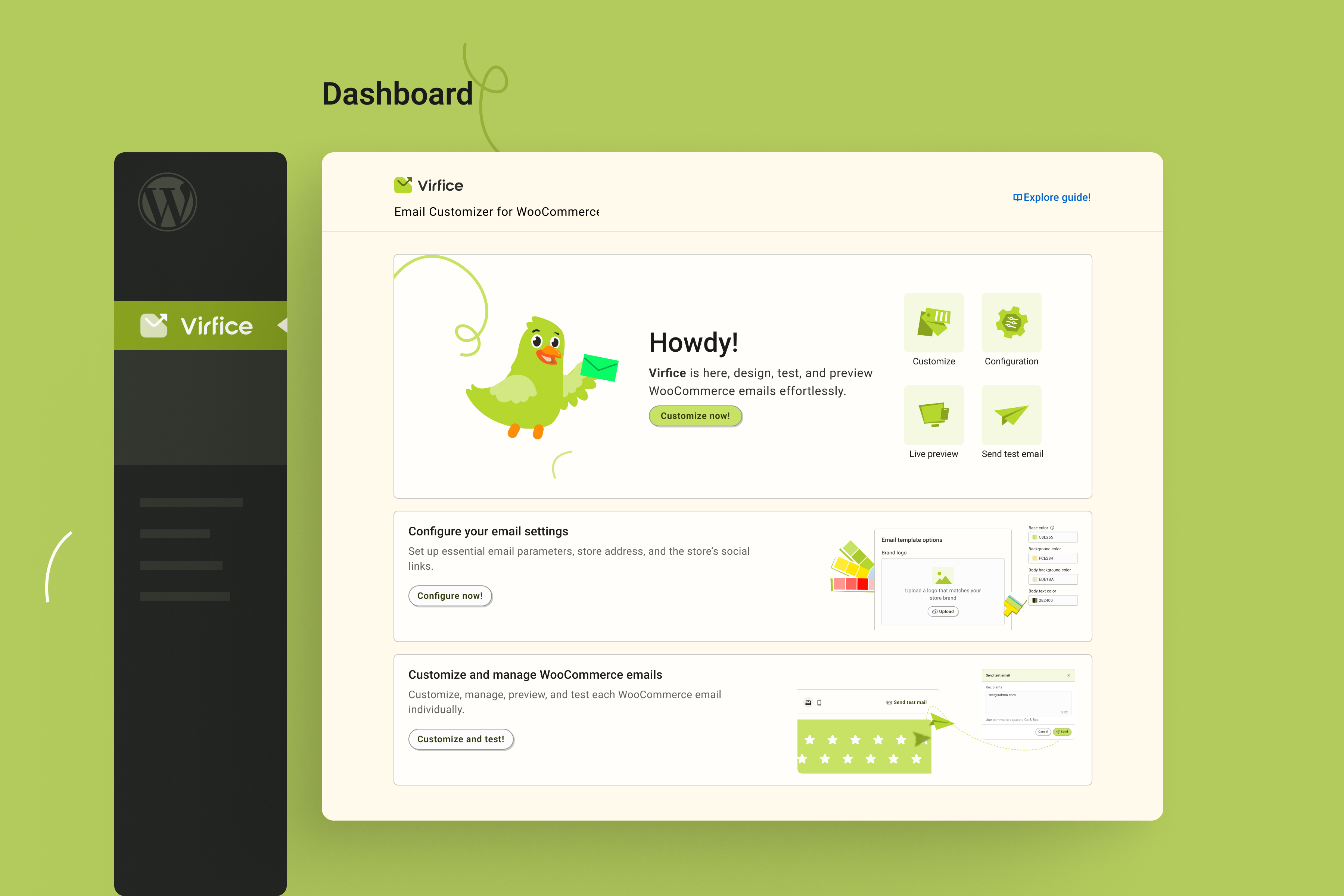
- Open Virfice from your WordPress dashboard.
- Configure your sender information and preferred SMTP provider.
- Import or capture contacts and organize them with lists and tags.
- Design a newsletter, create a campaign, customize a transactional email, or build an automation workflow.
- Send a test email, review your settings, and activate or schedule your email.
Schermafbeeldingen




Installatie
Minimum Requirements
- WordPress 5.5 or greater
- PHP 7.3 or greater
WooCommerce 8.0 or greater is required only for WooCommerce-specific emails, triggers, and automation features.
Automatic Installation
- In your WordPress dashboard, go to Plugins > Add New.
- Search for Virfice.
- Click Install Now, then click Activate.
- Open Virfice from the WordPress dashboard to get started.
Manual Installation
- Download the Virfice plugin ZIP file.
- In your WordPress dashboard, go to Plugins > Add New > Upload Plugin.
- Select the ZIP file and click Install Now.
- Activate the plugin and open Virfice from the dashboard.
FAQ
-
What is Virfice?
-
Virfice is a self-hosted email marketing and automation plugin for WordPress and WooCommerce. It brings audience management, newsletters, email campaigns, forms, automations, transactional email customization, analytics, and SMTP configuration into your WordPress dashboard.
-
Yes. You can design, schedule, and send newsletters and targeted email campaigns directly from WordPress.
-
Does Virfice support email automation?
-
Yes. Virfice supports event-based automation workflows using triggers, conditions, delays, and actions. Available automation features may differ between Virfice Free and Virfice Pro.
-
Does Virfice support WooCommerce abandoned-cart recovery?
-
Yes. The Cart Abandoned trigger can start automated cart-recovery workflows for registered and guest customers. Queued recovery workflows are cleared when the customer purchases or empties the abandoned cart.
-
Can I use Virfice without WooCommerce?
-
Yes. Virfice can be used for WordPress newsletters, subscriber management, forms, campaigns, system emails, and automation. WooCommerce adds ecommerce-specific emails and automation triggers.
-
Does Virfice customize WooCommerce emails?
-
Yes. You can visually customize supported WooCommerce transactional emails, including new-order, processing-order, completed-order, refunded-order, customer-invoice, customer-note, new-account, and reset-password emails.
-
Where is my email marketing data stored?
-
Virfice is self-hosted. Contacts, lists, tags, campaigns, and related marketing data are stored on your WordPress website.
-
Does Virfice charge based on subscriber count?
-
Virfice does not charge based on the number of contacts stored in WordPress. Sending capacity and costs depend on your hosting environment and selected SMTP or email delivery provider.
-
Do I need a separate SMTP plugin?
-
No. Virfice includes SMTP configuration, allowing you to connect your preferred SMTP service and send a test email from the Virfice settings.
-
Is Virfice compatible with my WordPress theme?
-
Virfice-generated emails are not dependent on your active WordPress theme. Form appearance may be affected by styles applied by your theme.
-
Yes. Virfice Free provides the features included in the WordPress.org download, while Virfice Pro adds advanced capabilities. Visit the Virfice website for the current feature comparison.
-
Where can I get support or request a feature?
-
Use the WordPress.org support forum for the free plugin or contact Virfice support to report an issue or request a feature.
Beoordelingen


Bijdragers & ontwikkelaars
“Virfice – Email Marketing & Automation for WordPress and WooCommerce” is open source software. De volgende personen hebben bijgedragen aan deze plugin.
Bijdragers
“Virfice – Email Marketing & Automation for WordPress and WooCommerce” is vertaald in 1 taal. Dank voor de vertalers voor hun bijdragen.
Vertaal “Virfice – Email Marketing & Automation for WordPress and WooCommerce” naar jouw taal.
Interesse in de ontwikkeling?
Bekijk de code, haal de SVN repository op, of abonneer je op het ontwikkellog via RSS.
Changelog
2026-08-31 – version 1.2.5
- New: Secondary modal added to update and unlink given links
- Update: Improved the overall user experience across Virfice.
- Fix: Fixed the screen going blank when selecting a condition for the Abandoned Cart trigger.
- Fix: Resolved all known bugs for smoother and more reliable performance.
2026-08-05 – Version 1.2.4
- New: WooCommerce integration with 9 new triggers
- New: Templates on the menu for easier access and faster campaign and automation creation.
- New: New default header and footer design
- New: Autoinsert sender name and email to automation email from the setting
- Update: Update notification even after activating license.
- Fix: Blank screen issue when clicking on the condition without selecting any trigger.
- Fix: All known bugs
2026-06-27 – Version 1.2.3
- New: Automation
- New: Custom fields support for contacts and forms
- New: New email template in Brand Settings
- New: HEX color code support in color pickers
- New: License status indicators (Active/Inactive)
- Update: Improved email and form builder customization options
- Update: Enhanced mobile responsiveness and column behavior
- Update: Improved campaign creation experience and builder usability
- Update: Refined contact management workflow and interface copy
- Update: Added more template styling options, including background colors and border radius controls
- Fix: Contact list updates not appearing immediately after adding contacts
- Fix: Missing success feedback when adding contacts to lists
- Fix: Form button alignment and padding issues
- Fix: Email width and layout consistency issues
- Fix: Element selection issues after duplication
- Fix: Transparent and “no color” value handling issues
- Fix: Content formatting issues when pasting from external sources
- Fix: “Start from Scratch” campaign creation issue
- Fix: Various email builder, form builder, and UI-related bugs
2026-04-13 – version 1.2.2
- New: Option to add contacts manually
- New: Individual contact overview with editable fields
- New: Custom fields for contacts
- New: Contact import system with proper data mapping
- New: Export contacts as a CSV file
- Update: Improved license system with activation data
- Update: Enhanced UX copy across the interface
- Fix: Issue with the “Start from Scratch” email template not working when creating a campaign
- Fix: All known bugs fixed
2026-03-17 – version 1.2.1
- Update: Added empty state for forms list, campaigns list, and audience list
- Fix: Form input design issue
2026-03-08 – version 1.2.0
- New: new Dashboard with improved overview and navigation.
- New: Campaign management system.
- New: Forms builder and form management.
- New: Audience management system.
- New: WordPress New User email customization support.
- New: WordPress Reset Password email customization support.
- New: Unsubscribe email template customization.
- New: Cron Job configuration for scheduled email processing.
- New: native SMTP configuration support.
- Update: email builder performance and usability.
- Update: Enhanced overall plugin performance and stability.
- Fix: Fixed all known bugs.
2025-08-31 – version 1.1.13
- Fix: Remove unused files
2025-08-31 – version 1.1.12
- Fix: Order table product title design issue
2025-08-26 – version 1.1.11
- Update: Fix readme file typo
2025-08-25 – version 1.1.10
- Update: Enhanced column settings
- Update: Improved default header and footer
- Update: Restructured ready-blocks
- Fix: Minor security issues
- Fix: Resolved all known issues
2025-08-11 – version 1.1.9
- New: Added brand-new social element.
- Update: Enhanced text element for better formatting and editing.
- Update: Default column styles refined for a cleaner layout.
- Update: Columns are extended with more customization options.
- Update: Overall user experience enhancements.
- Update: Enhanced image element
- Fix: Fixed cursor stacking issue when hovering near the edge while “Add Elements” and “Ready Designs” options appear.
- Fix: Resolved all known bugs for smoother performance.
2025-07-06 – version 1.1.8
- New: Tooltip added to improve UX
- Update: Clearer and more user-friendly brand settings
- Update: Improved canvas border
- Update: Redesigned email list to reduce confusion
- Update: Improved text element by removing extra lines before and after text
- Update: Enhanced image element
- Fix: Fixed issue with links not working properly
- Fix: Resolved all known bugs
2025-06-28 – version 1.1.7
- Fix: Dashboard notice reappears after closing
- Fix: Minor known bugs to improve stability and performance
2025-06-21 – version 1.1.7
- New: Added a helpful guide for users to get started more easily
- Fix: Minor known bugs to improve stability and performance
2025-06-06 – version 1.1.5
- Fix: Special character rendering issue in the Order Address element
- Fix: All known minor issues resolved
2025-05-11 – version 1.1.4
- New: Tax amount display in the WooCommerce order table.
- New: Feedback prompt to help us improve Virfice even more
- Fix: Various minor bugs and issues to enhance overall stability.
2025-05-01 – version 1.1.3
- New: Global header and footer
- New: Product images in order table
- New: Show column number in settings
- New: The Content and Design tabs on the right panel for each element are now fixed for easier navigation.
- New: Add contents (text, image, and button) options added to column
- New: Child sorting
- Update: Hover out removes the element border
- Update: The order table element enhanced with design options for specific ares and content
- Fix: Social icons not serving from the settings
- Fix: Preview text is not being sent in test email
- Fix: All known bug fixed
2025-03-10 – version 1.1.2
- New: Option to remove selected color in the color picker
- New: Validation to prevent email width from being set below 400px or above 800px
- New: [Test] label added before every test email
- New: Settings & Documentation links in the plugin list
- Update: Default logo size in header-ready blocks optimized for design
- Update: Dashboard notification when Virfice is installed without WooCommerce
- Fix: Virfice deactivating after updating to a new version
- Fix: Brand settings inaccessible when email width exceeds 800px
- Fix: Extra 4px padding applied when background top-bottom padding is set to 0
- Fix: Green mark overlapping issue when applying top-bottom background padding to elements
- Fix: Image delete option not working in columns
- Fix: Green area overlapping issue on scroll-top
- Fix: Various security issues
- Fix: Several known bugs
- Fix: Reply to email address in test email not working
2025-03-03 – version 1.1.1
- Fix: Reply-to email address not working issue
- Fixed: Empty address fields no longer leave extra spaces or commas in regular customizer
- Improved: The Social Media section heading is now hidden if left blank, while keeping the icons visible in regular customizer
2025-03-02 – version 1.1.0
- New: Intuitive email builder
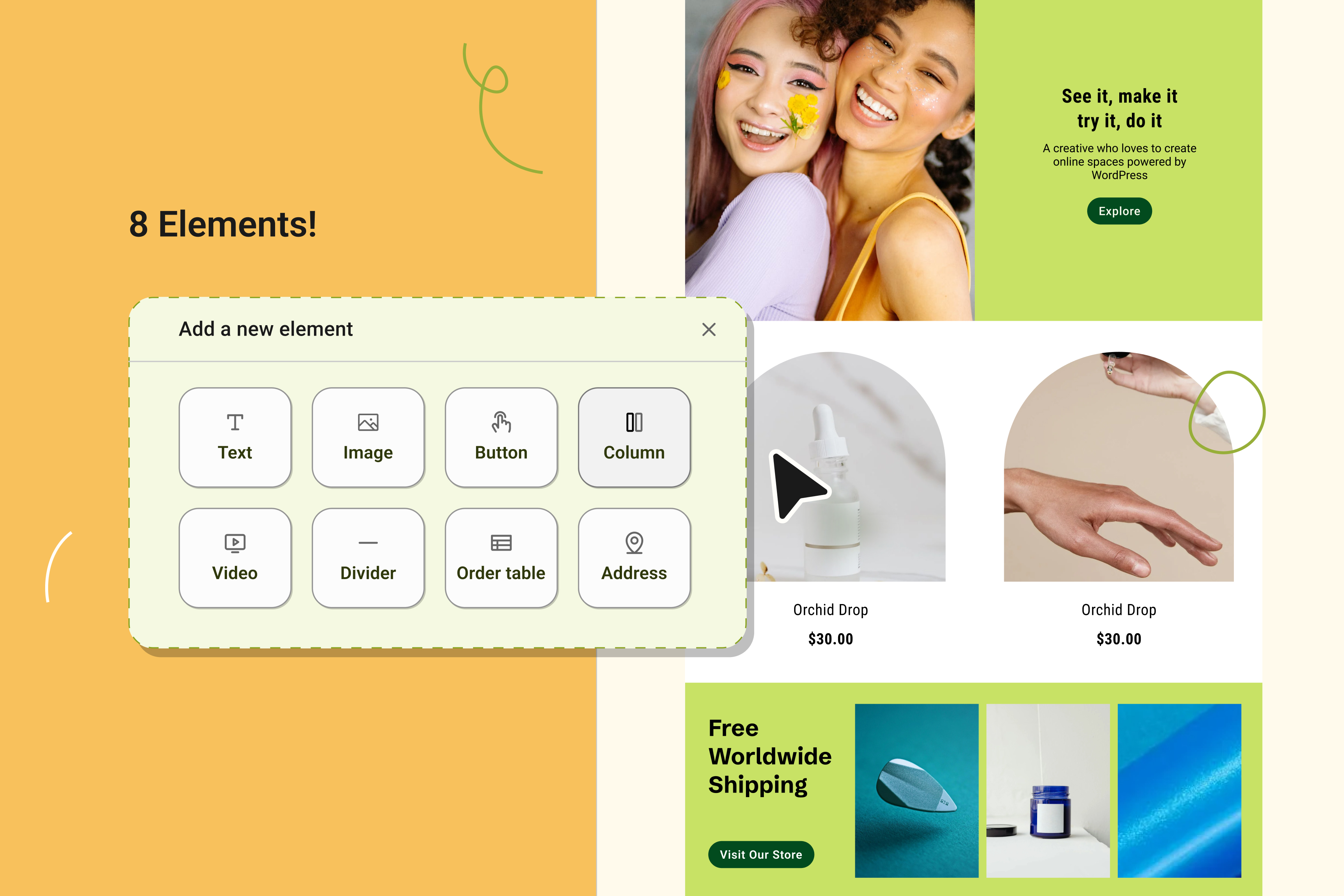
- New: 8 email elements
- New: 15+ ready block designs
- New: 12 custom email templates for WooCommerce emails
- Update: Revamped brand settings
- Update: Improved email preview
- Update: Enhanced overall experience
- Fix: Various bug fixes
2025-01-04 – version 1.0.3
- Fix: Disable add_rewrite_rule method
- Update: Added Telegram, VK, and phone as social links
2024-10-27 – version 1.0.2
- Fix: Typos in the plugin
2024-08-05 – version 1.0.1
- New: Email configuration settings
- New: Brand settings added
- New: Improved dashboard
- New: Placeholders support
- New: Notice to configure SMTP before sending test emails
- Update: Virfice position in the WordPress menu
- Update: Improved overall user experience
- Fix: Email status not updating issue on email notifications
- Fix: Color picker not choosing the right color issue
- Fix: All known bugs
2024-06-20 – version 1.0.0
- Initial Release